Self-care does not have to be a perfect checklist or a promise to do everything every day. In Levvi, you can turn a broad intention, such as resting better or caring for your body, into small actions that fit your week. The feature groups care into different areas so you can choose what matters now, keep track of what you planned for yourself, and adjust it when real life changes.
What counts as self-care in Levvi
The Self-care area covers six dimensions: body, mind, emotional, social, spiritual, and leisure. They are a way to think about balance, not a scorecard. Body might include movement, food, or remembering an appointment; mind might be reading, a pause, or study; emotional might be writing about how you feel or seeking support. Social, spiritual, and leisure time also deserve room according to your values and routine.
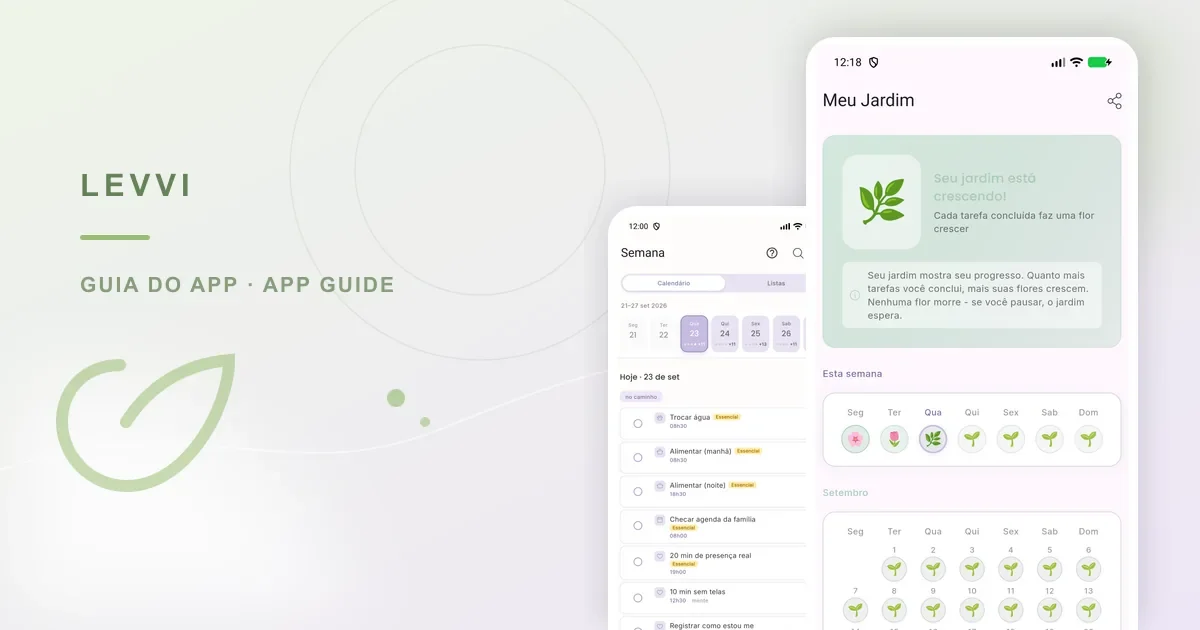
To open this list, go to Week, tap Lists, and choose Self-care. You can also tap the central + in the bottom bar to open the task editor, then select the Self-care area when creating an action. This path keeps care organized as clear, realistic actions that you can review.
How to build a routine you can keep
Start with one area that needs attention. Instead of making a large plan, choose one small action and decide when you intend to do it. Use the add (+) button, select the area, and write something observable, such as “walk for ten minutes after lunch” or “call a friend on Saturday”. Avoid vague phrases such as “take better care of myself”, because they make the next step unclear.
- Choose one or two priority areas for this week.
- Write an action that can be marked as done.
- Choose a frequency that matches your current energy.
- Review the list at the end of the week and keep what is still useful.

A Levvi example
Suppose Ana has been sleeping poorly and feeling isolated. She creates a mind action to take a screen-free pause before bed and a social action to message someone she trusts. Instead of recording “have a balanced life”, she uses two small actions and finds each one in her task list. If the week becomes busy, she lowers the frequency or reschedules an action; that is adjusting the plan, not failing.
The garden and other views can make progress feel more concrete, but they do not replace the task list or promise a perfect streak. Use a visual as encouragement, not as a measure of your worth or the quality of your care.
Limits and troubleshooting
Levvi organizes and records your choices. It does not diagnose a mental health condition, assess your fitness, or decide which form of care is right for you. If an activity causes pain, worsens symptoms, or feels unsafe to start, stop and seek professional guidance. In an emergency, use local emergency services.
If an area is missing, open Week and look for the area selector. If an action is no longer useful, edit, delete, or reschedule it instead of making duplicate entries. If the list looks empty, check the selected day and filters.
Frequently asked questions
Do I need to fill all six areas? No. They are options for a wider view; choose only what is relevant. Can I use self-care to track another person? Record actions and information only when you have permission. Does Levvi replace therapy or a medical visit? No. It can support daily organization, while clinical decisions belong with a qualified professional.